
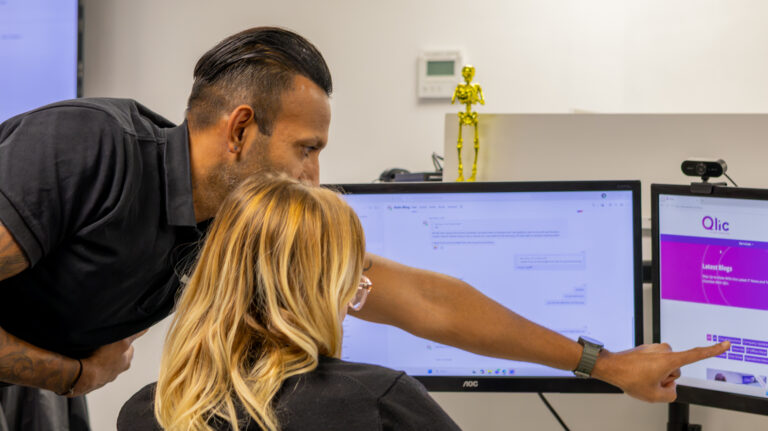
A teacher shares their screen on the classroom display with a safeguarding email still open. An office administrator sends an update to a large group of parents and accidentally places everybody’s addresses in CC rather than BCC. A member of the finance team clicks a convincing phishing email.
Your data protection policy might tell staff what should happen in situations like these, but a policy alone cannot stop them. What makes the difference is whether your systems limit the damage and whether staff know what to do next.
That is why data protection in schools needs to work in practice, not just exist in a compliance folder.
This guide explains what UK GDPR and the Data Protection Act 2018 ask of schools, the practical safeguards that can reduce common risks, and what to do step by step if a breach occurs.
What Data Protection Law Asks of Schools
UK GDPR and the Data Protection Act 2018
In simple terms, UK GDPR provides the core rules for how organisations collect, use, store and protect personal information. The Data Protection Act 2018 sits alongside it and provides additional UK-specific provisions.
Schools hold a lot of personal information, from pupil and parent contact details to staff records. Data protection law gives each organisation involved in handling it a role:
- Data controller: the school decides what information is collected and why, so it’s responsible for keeping it safe. In an academy, this is usually the trust.
- Data processors: suppliers that handle data on the school’s behalf, such as your Management Information System (MIS) provider or edtech apps.
- Regulator: the Information Commissioner’s Office (ICO) enforces data protection law in the UK. For school-specific advice, the DfE data protection guidance for schools is a good starting point.
The Data (Use and Access) Act 2025 updated these rules, but it adjusts the existing law rather than replacing it. For more detail, see the data protection toolkit every school should have.
UK GDPR says schools must protect personal data with “appropriate” security measures, but it doesn’t list specific tools. So measures like multi-factor authentication (MFA, a second check such as a code on your phone when you log in), encryption and Cyber Essentials aren’t legal requirements in themselves. They’re common ways to meet that duty, and what’s appropriate depends on your school’s risks.
Why School Data Needs Extra Care
Schools do not just hold names and email addresses.
They routinely process information including:
- Special Educational Needs (SEN) records
- health and medical information
- safeguarding records
- photographs
- CCTV footage
- attendance information
- staff records
- pupil assessment and behavioural information
Some of this is special category data, which is considered particularly sensitive under UK GDPR and requires additional protection.
Children also merit protection under data protection law, meaning schools need to think carefully about why information is collected, who can access it and how securely it is held.
Biometric systems can introduce additional requirements too. For example, schools using fingerprints for cashless catering need to consider the separate rules applying to the processing of children’s biometric information.
Properly anonymised information, where an individual can no longer be identified, falls outside UK GDPR.
UK GDPR Principles and Rights in Everyday School Life
The seven UK GDPR principles become easier to understand when you apply them to an ordinary school day.
Principle | What it looks like in school |
Lawfulness, fairness and transparency | Parents, pupils and staff know what information you hold and why through clear privacy notices. |
Purpose limitation | Information collected for a particular purpose, such as medical needs, isn’t subsequently used for something unrelated. |
Data minimisation | A trip form asks only for the information the school needs. |
Accuracy | Contact, medical and other records are kept up to date. |
Storage limitation | Old pupil information isn’t kept indefinitely “just in case”; the school follows an appropriate retention schedule. |
Integrity and confidentiality | Information is protected against loss, theft, inappropriate access and accidental disclosure. |
Accountability | The school can demonstrate how it complies rather than simply saying that it does. |
The last principle, accountability, is one the ICO puts particular weight on. The accountability principle means taking responsibility for how you use personal data and being able to show that you follow the rules.
People also have rights over their data, and two come up often in schools:
- Subject access request (SAR): anyone can ask to see the personal data you hold about them. A parent, pupil or member of staff doesn’t need to use the words “subject access request”, so an everyday email asking for their information still counts. You normally have one month to respond, though this can be extended in some cases. The government’s subject access request procedure sets out the steps.
- Right to erasure: people can ask for their data to be deleted, although this right doesn’t apply in every situation.
Your privacy notices should tell people about these rights. For how to handle requests in practice, see Qlic’s data protection toolkit.
Of the seven principles, though, integrity and confidentiality (keeping data secure) is where schools are most often tested. A policy can’t recall a misdirected email or lock down a lost laptop. That depends on your systems and your staff.

The Paperwork That Proves Compliance
Paperwork shows that your school has thought about its risks and planned for them. The core pieces are:
- a Data Protection Officer (DPO)
- a data protection policy
- records of processing activities (ROPA), which log what personal data you hold and why
- Data Protection Impact Assessments (DPIAs) for higher-risk uses of data
- a retention schedule setting out how long you keep each type of record
- data sharing agreements and contracts with third-party and edtech suppliers
- regular staff training
The data protection toolkit every school should have explains each of these, so we won’t repeat them here.
Paperwork also needs keeping up to date. Adam Wignall, IT Support Engineer specialising in Schools and Education at Qlic, often sees this with photos on school websites:
“Another common GDPR issue we see at school are photos on the school website, technically the consent was there but expired.”
His advice is to check regularly whether photos of pupils who have left are still covered by the original consent.
Documents only show what you’ve planned. Your day-to-day practices decide whether data is actually protected. As Dan Green, Head of Automation & Compliance at Qlic, puts it in our Cyber Essentials 2026 Explained webinar:
“The security aspects and how good you are shouldn’t be ramped up during an audit. It should absolutely be happening throughout your day-to-day.”
Securing School Data and Responding to a Data Breach
What Counts as a Data Breach in Schools
A personal data breach does not have to involve hackers.
It can involve the accidental or unlawful loss, destruction, alteration, disclosure of, or access to personal data.
In a school, that could be:
- emailing pupil information to the wrong parent
- displaying a confidential safeguarding email while screen-sharing in class
- losing a laptop containing pupil or staff information
- accidentally disclosing parents’ email addresses to other parents
The key question is what has happened to personal information, who may now have access to it and what risk that creates for the people concerned.
Where Breaches in Schools Come From
Some of the easiest data protection mistakes to imagine are also the most ordinary.
Adam Wignall has seen the risks that everyday communications can create:
“Something that has happened a few times at school is when someone in the office sends an email out to many parents, they will copy everyone in instead of blind copy everyone in.”
That can expose every recipient’s email address to the rest of the list.
He also points to a practical way technology can reduce that risk. At the school in his example, more communications are now being sent through Arbor following a change of MIS, which removes that particular CC/BCC risk from those communications.
It is a good example of why data protection shouldn’t depend entirely on somebody remembering the right procedure every time: where possible, systems should make the safer action the easier one.
Other common risks include:
- Screen-sharing. A teacher connects a laptop to the classroom display without noticing that an email or notification containing sensitive information is visible.
- Phishing. Staff receive convincing messages designed to steal credentials. More targeted “spear phishing” attacks can use information about a specific person or organisation to appear more believable.
- Ransomware. Malware can encrypt school systems and potentially expose information, making effective security and recovery planning particularly important.
- Lost devices. A school laptop left on a train is a very different incident if the device is centrally managed and encrypted than if anyone can simply switch it on and gain access.
Qlic’s How the DfE Cyber Attack Could Target Your School looks specifically at how compromised information can be used to make attacks on schools more convincing.
Would Your Safeguards Hold Up? Four Checks
- Who can access what?
Good: MFA is enabled across important systems such as email, MIS, finance and HR accounts, particularly privileged administrator accounts. Password resets also involve appropriate identity verification.
Warning sign: MFA protects some services but not others, or password reset procedures are easy to circumvent.
For a deeper look, see how IT infrastructure supports your data protection policy.
- Would your data stay protected if a device disappeared?
Good: School devices are encrypted, centrally managed and running supported software.
Warning sign: Old or unsupported machines remain in everyday use because they still appear to work.
Central management gives IT teams much stronger oversight of school devices. For example, Qlic’s work with Alexandra Primary School included enrolling devices into Microsoft Intune, integrating with Microsoft Entra ID for centralised identity management and replacing unsupported devices.
Schools reviewing this area should consider both their school’s IT infrastructure and their wider approach to cyber security for schools.
- Could you recover your information?
Good: Your backup strategy reflects where critical school information is stored, including relevant cloud services, and recovery is tested.
Warning sign: Nobody has recently confirmed what is backed up, how it can be restored or how long a recovery would take.
A backup can help you recover from an incident. It doesn’t remove the requirement to assess and respond to a personal data breach.
- Would your staff spot and report a problem?
Good: People know how to recognise phishing, misdirected information and suspicious activity, and there is a simple internal route for reporting both actual incidents and near misses.
Warning sign: Somebody accidentally emails sensitive information to the wrong recipient, deletes the message from their Sent folder and assumes that solves the problem.
Frameworks such as Cyber Essentials can provide a recognised security baseline. They should not be confused with a blanket legal requirement under UK GDPR. You can explore the benefits of Cyber Essentials for education and what’s changed in Cyber Essentials for 2026 for more detail.
Picture this example happening tomorrow: someone in the school office emails dozens of parents using CC instead of BCC. There’s no need to panic, but quietly deleting the email isn’t the answer either. Instead, work through these steps.
- Contain the breach
Stop the data spreading any further. For a misdirected email, contact the people who received it, ask them to delete it and confirm they’ve done so. If an account has been hacked, block access, reset the password and check what the attacker could see.
- Assess the risk
Work out:
- what information was involved and how sensitive it is
- how many people are affected
- who received it or could access it
- what could realistically happen as a result
A list of parents’ email addresses is far less serious than a safeguarding or health record sent to the wrong person.
- Decide whether it needs reporting
Not every school data breach needs to be reported to the ICO. You only need to report it if it’s likely to put people at risk, for example of distress, fraud or harm. The ICO’s self-assessment tool helps you decide.
- Report it to the ICO within 72 hours, if required
If the breach is reportable, tell the ICO without undue delay and, where possible, within 72 hours of finding out about it. You don’t need every answer by then. You can report what you know and add details later. The ICO guidance on personal data breaches explains how.
- Tell the people affected if the risk is high
If the breach puts people at high risk, for example because safeguarding information has been exposed, you must also tell them without undue delay. Explain what happened and what they can do to protect themselves.
- Record it in your breach log
Log every breach, including ones you decide not to report. UK GDPR requires this. Note what happened, the decisions you made and the action you took.
- Review what needs to change
Ask what would stop it happening again. Could parent emails go through your MIS, as at Adam’s school? Are MFA and access controls strong enough? Do staff know how to report a problem?
An up-to-date incident response plan makes these steps much easier to follow under pressure. The toolkit’s breach response procedure covers what to put in place in advance.
Making Data Protection in Schools Work Beyond the Policy Folder
Data protection doesn’t have to feel overwhelming. When your policies, systems and staff work together, a mistake becomes something you can contain and recover from, rather than a crisis. If you’d like a second opinion on how well your school’s data is protected and how ready you are to respond to a breach, book a consultation with Qlic.